


Generator
History
Model
Base
Switch
Total Area
Rooms
BedRoom
2
BathRoom
1.5
Looking for any specific?
e.g. Bright modern home with open kitchen and cozy living space.
 Count
Count
Design Your Dream Space: AI Floor Plan Generator for North America
Unleash your creativity with Ideal House's AI Floor Plan Generator, the ultimate automatic floor plan creator. Quickly design 2D floor plans tailored to your vision, perfect for real estate listings, client presentations, or personal projects. Our intuitive AI floor plan maker transforms your ideas into professional, clear layouts in seconds, making complex architectural drawing software a thing of the past. Experience the future of home design today.
Generate My Floor Plan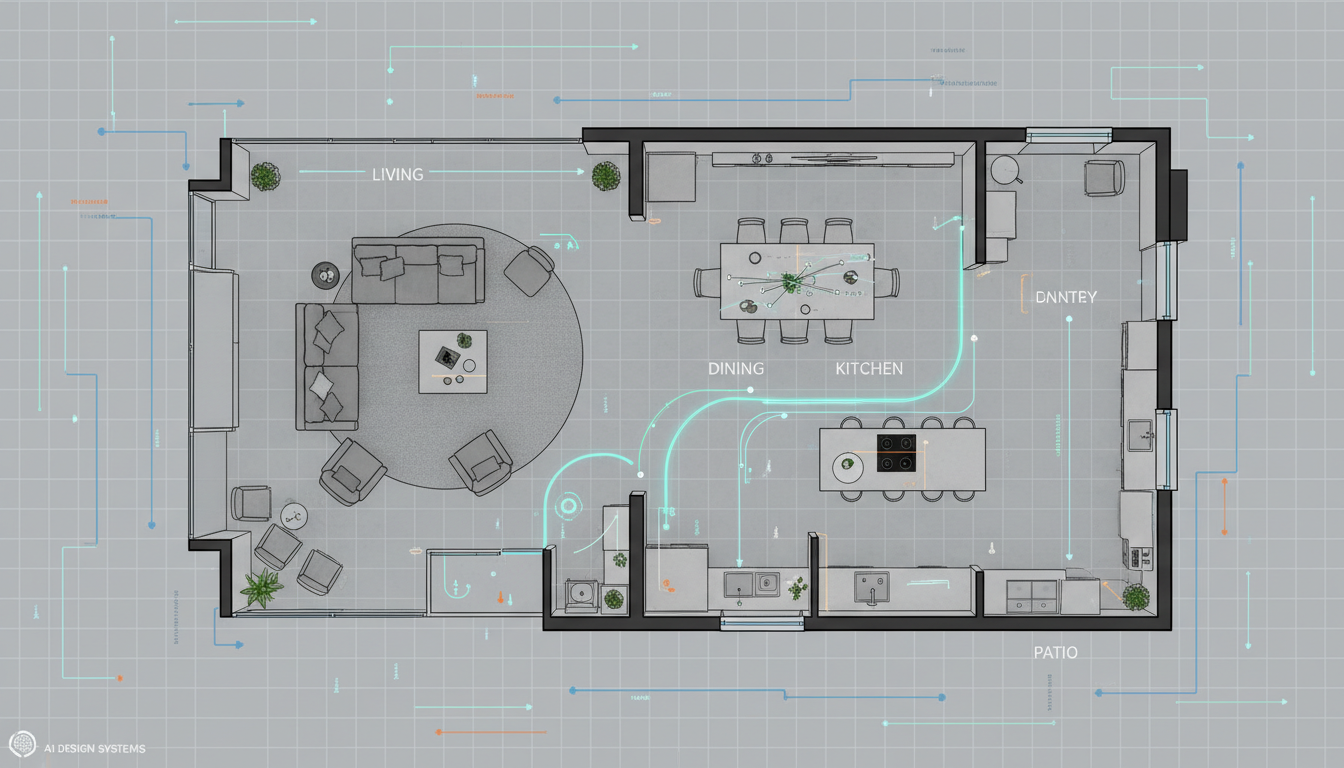


Why Ideal House is Your Go-To Automatic Floor Plan Creator

Instant 2D Floor Plans
Skip the tedious manual drafting. Our AI floor plan maker delivers professional 2D floor plans instantly. Define your needs like bedrooms, bathrooms, and kitchen style, and watch as our automatic floor plan creator brings your vision to life. Get rapid floor plan concepts for any project, from residential floor plans to quick sketches for clients. It’s the fastest way to visualize a house layout planner.

Unrivaled Customization & Control
Unlike generic templates, our intelligent floorplan generator allows deep customization. Specify every detail from open vs. closed kitchens to specific gross area ranges and essential extras like a walk-in closet or home office. This powerful automatic floor plan creator gives you the tools to craft a truly custom floor plan that meets precise requirements, making it a versatile room layout planner.

Boost Real Estate & Design ROI
For real estate agents and interior designers, an accurate, digital floor plan is invaluable. Our automatic floor plan creator provides consistent, high-quality 2D floor plans that enhance property listings, capture buyer interest, and streamline client discussions. Generate professional residential floor plans that help sell properties faster and secure design contracts with compelling visuals. It’s an essential home design app for professionals.
Seamless Workflow & Collaboration
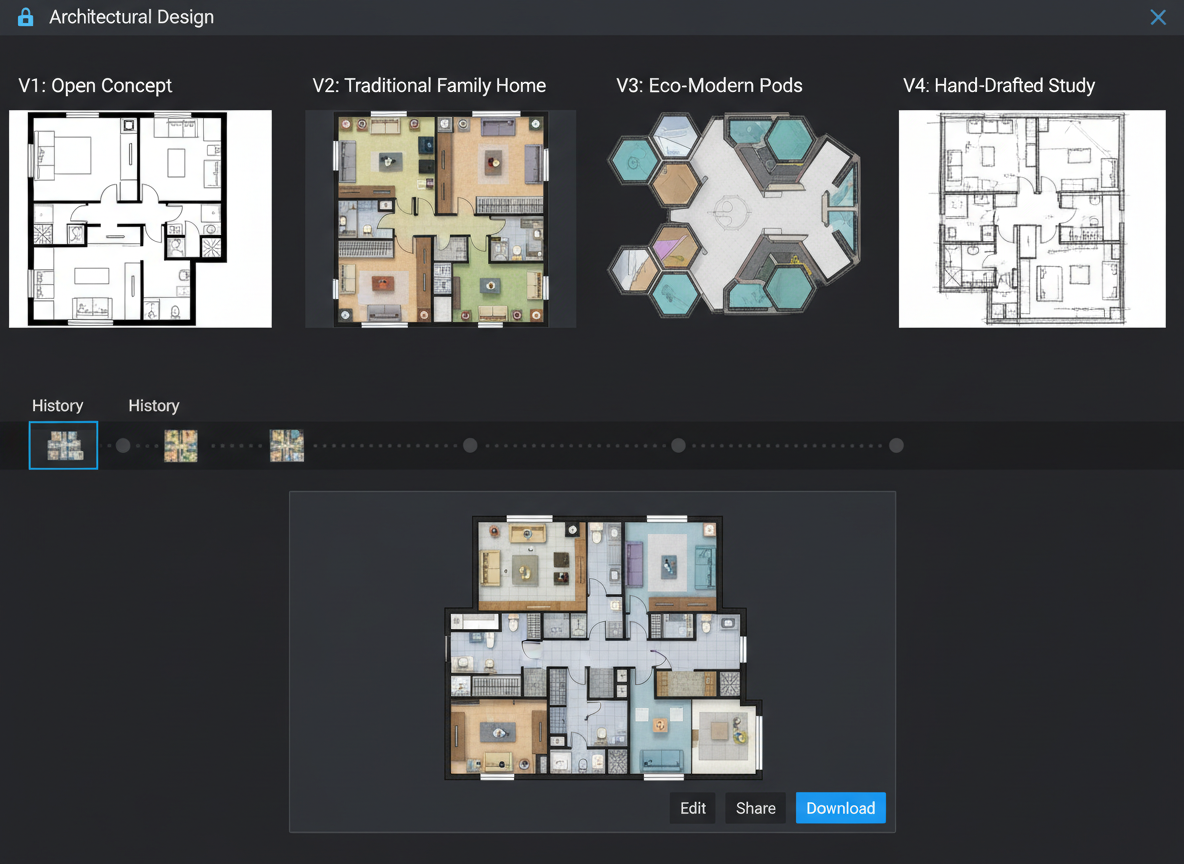
Every floor plan generated is saved in your history, allowing you to compare iterations and share with ease. This smart floor plan tool integrates into your existing workflow, acting as a virtual floor planner that facilitates clear communication with contractors, clients, and partners. Export your designs as images or PDFs for effortless sharing, making collaboration a breeze with this online floor plan solution.

Who Benefits from Our Automatic Floor Plan Creator?

Homeowners & DIY Enthusiasts: Easily visualize potential home renovations or new construction layouts with an intuitive floor plan tool .

Interior Designers & Decorators: Rapidly generate initial concepts and iterate designs with clients using a versatile house layout planner.

Real Estate Professionals: Create compelling 2D real estate floor plans for listings, helping buyers understand property flow and maximizing appeal.

Contractors & Consultants: Translate verbal ideas into clear 2D floor plan visuals to align scope and facilitate project planning.

Your Guide to Using the Automatic Floor Plan Creator
1
Set Rooms: Begin by choosing your desired number of bedrooms (0-4) and bathrooms (1-3) to establish the basic structure of your 2D floor plan.
2
Choose Kitchen Style: Decide between an open or closed kitchen layout, influencing the flow and privacy of your living spaces.
3
Pick Gross Area: Select a gross area range that aligns with your target size, allowing the automatic floor plan creator to proportion rooms accurately.
4
Add Extras: Enhance your design by multi-selecting features like a walk-in closet, laundry room, home office, garage, pantry, combined living-dining, or balcony.
5
Generate & Review: Click 'Generate' to see your new custom floor plan instantly. Review the results and make adjustments as needed in your Generation History.
6
Download & Share: Export your finalized digital floor plan as an image or PDF to share with clients, colleagues, or for your property listings.
Frequently Asked Questions About Our AI Floor Plan Generator
How does it turn my selections into a plan?
The AI floor plan generator reads your program—beds, baths, kitchen type, gross area, and extras—then applies common adjacency and circulation rules to draft a clear 2D floor plan. Each click creates a fresh concept you can refine by changing the chips.
What are the ranges and defaults?
Bedrooms: 0–4 (default 2). Bathrooms: 1–3 (default 1). Kitchen: open/closed (default open). Gross Area: choose the closest band. Extras: multi-select.
What does “Gross Area” influence?
The band guides overall scale so rooms and corridors feel right for that footprint; picking the closest band yields the most believable layout.
Open vs. closed kitchen—what changes?
Open kitchens favor a continuous living–dining sightline and smoother flow; closed kitchens bias toward a defined cooking zone with clearer separation.
What do the Extras do?
Extras tell the AI floor plan maker which spaces to prioritize (e.g., walk-in closet near the primary bedroom, pantry adjacent to kitchen, home office in a quieter corner).
Can I compare multiple versions?
Yes. Every generation is saved to Generation History. Use the “Created with AI Floorplan” filter and grid/list view to review side by side.
How fast is it and how are credits used?
Most generations finish in seconds. Each click of Generate consumes the credits shown on the button; all results are stored.
Does it work on tablet?
Yes—runs in the browser and feels great on desktop and iPad; settings persist until you change them and regenerate.
Explore More Ideal House Design Tools
HouseGPT
Get expert advice on renovation materials, budget planning, and project timelines for your specific home.
Room Visualizer
Go beyond shoe storage and redesign your entire room, changing wall colors, flooring, and lighting.
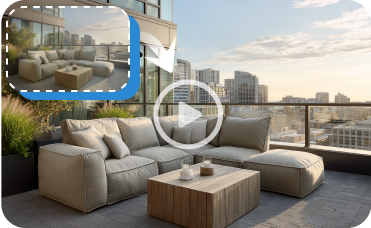
Image to Video
Create a captivating video tour of your home's exterior renovation to share online.
Ready to Design with the Ultimate Automatic Floor Plan Creator?
Map your space in minutes with a clear 2D floor plan—simple, fast, and share-ready with Ideal House.
Generate My Floor Plan
Ideal.House is more than a platform—it's your all-in-one home design ecosystem. Dive into powerful AI tools such as Interior Remodel, Exterior Renovator, and Landscaping to craft stunning spaces, and let HouseGPT guide you with tailored suggestions for planning, styling, and furnishing. Connect with a passionate community to swap ideas and advice, then take your designs from concept to completion with handpicked products matched to your taste.
At Ideal.House, we've built a space where technology, creativity, and collaboration come together to redefine home design.
At Ideal.House, we've built a space where technology, creativity, and collaboration come together to redefine home design.
Technical support [email protected]



'%3e%3cpath%20d='M162.5%20200H37.5C16.6667%20200%200%20183.333%200%20162.5V37.5C0%2016.6667%2016.6667%200%2037.5%200H162.5C183.333%200%20200%2016.6667%20200%2037.5V162.5C200%20183.333%20183.333%20200%20162.5%20200ZM37.5%208.33333C21.6667%208.33333%208.33333%2021.6667%208.33333%2037.5V162.5C8.33333%20178.333%2021.6667%20191.667%2037.5%20191.667H162.5C178.333%20191.667%20191.667%20178.333%20191.667%20162.5V37.5C191.667%2021.6667%20178.333%208.33333%20162.5%208.33333H37.5Z'%20fill='black'/%3e%3cpath%20d='M54.4224%2040C52.5284%2040%2050.653%2040.3737%2048.9032%2041.0997C47.1534%2041.8257%2045.5635%2042.8899%2044.2242%2044.2314C42.885%2045.573%2041.8226%2047.1656%2041.0978%2048.9184C40.373%2050.6712%2040%2052.5498%2040%2054.447C40%2056.3442%2040.373%2058.2229%2041.0978%2059.9756C41.8226%2061.7284%2042.885%2063.3211%2044.2242%2064.6626C45.5635%2066.0041%2047.1534%2067.0683%2048.9032%2067.7943C50.653%2068.5203%2052.5284%2068.894%2054.4224%2068.894C56.3164%2068.894%2058.1918%2068.5203%2059.9416%2067.7943C61.6914%2067.0683%2063.2813%2066.0041%2064.6206%2064.6626C65.9598%2063.3211%2067.0222%2061.7284%2067.747%2059.9756C68.4718%2058.2229%2068.8448%2056.3442%2068.8448%2054.447C68.8448%2052.5498%2068.4718%2050.6712%2067.747%2048.9184C67.0222%2047.1656%2065.9598%2045.573%2064.6206%2044.2314C63.2813%2042.8899%2061.6914%2041.8257%2059.9416%2041.0997C58.1918%2040.3737%2056.3164%2040%2054.4224%2040ZM82.4631%2079.8415V159.993H107.307V120.357C107.307%20109.898%20109.271%2099.7689%20122.217%2099.7689C134.985%2099.7689%20135.143%20111.727%20135.143%20121.017V160H160V116.045C160%2094.4536%20155.36%2077.8607%20130.166%2077.8607C118.071%2077.8607%20109.963%2084.5097%20106.648%2090.8022H106.311V79.8415H82.4631ZM41.9775%2079.8415H66.8608V159.993H41.9775V79.8415Z'%20fill='black'/%3e%3c/g%3e%3cdefs%3e%3cclipPath%20id='clip0_1255_15'%3e%3crect%20width='200'%20height='200'%20fill='white'/%3e%3c/clipPath%3e%3c/defs%3e%3c/svg%3e)

💰 Earn 10% commission as a Ideal House Affiliate Partner.
Join us