


Générateur
Histoire
Modèle
Base
Changer
Surface totale
Pièces
chambre
2
salle de bain
1.5
Cherchez-vous quelque chose de spécifique?
p. ex. Maison moderne lumineuse avec cuisine ouverte et espace de vie chaleureux.
 Nombre
Design Your Dream Space: AI Floor Plan Generator for North America
Unleash your creativity with Ideal House's AI Floor Plan Generator, the ultimate automatic floor plan creator. Quickly design 2D floor plans tailored to your vision, perfect for real estate listings, client presentations, or personal projects. Our intuitive AI floor plan maker transforms your ideas into professional, clear layouts in seconds, making complex architectural drawing software a thing of the past. Experience the future of home design today.
Generate My Floor Plan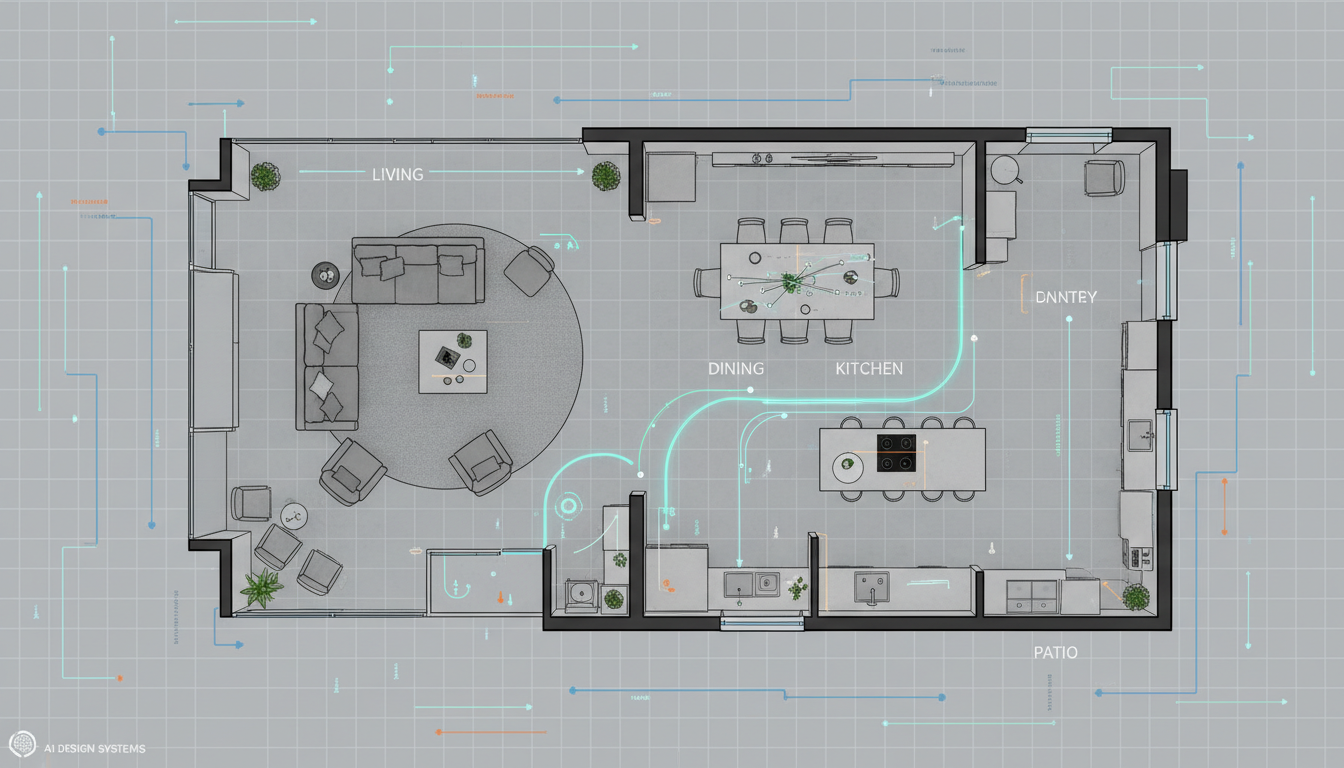


Why Ideal House is Your Go-To Automatic Floor Plan Creator

Instant 2D Floor Plans
Skip the tedious manual drafting. Our AI floor plan maker delivers professional 2D floor plans instantly. Define your needs like bedrooms, bathrooms, and kitchen style, and watch as our automatic floor plan creator brings your vision to life. Get rapid floor plan concepts for any project, from residential floor plans to quick sketches for clients. It’s the fastest way to visualize a house layout planner.

Unrivaled Customization & Control
Unlike generic templates, our intelligent floorplan generator allows deep customization. Specify every detail from open vs. closed kitchens to specific gross area ranges and essential extras like a walk-in closet or home office. This powerful automatic floor plan creator gives you the tools to craft a truly custom floor plan that meets precise requirements, making it a versatile room layout planner.

Boost Real Estate & Design ROI
For real estate agents and interior designers, an accurate, digital floor plan is invaluable. Our automatic floor plan creator provides consistent, high-quality 2D floor plans that enhance property listings, capture buyer interest, and streamline client discussions. Generate professional residential floor plans that help sell properties faster and secure design contracts with compelling visuals. It’s an essential home design app for professionals.
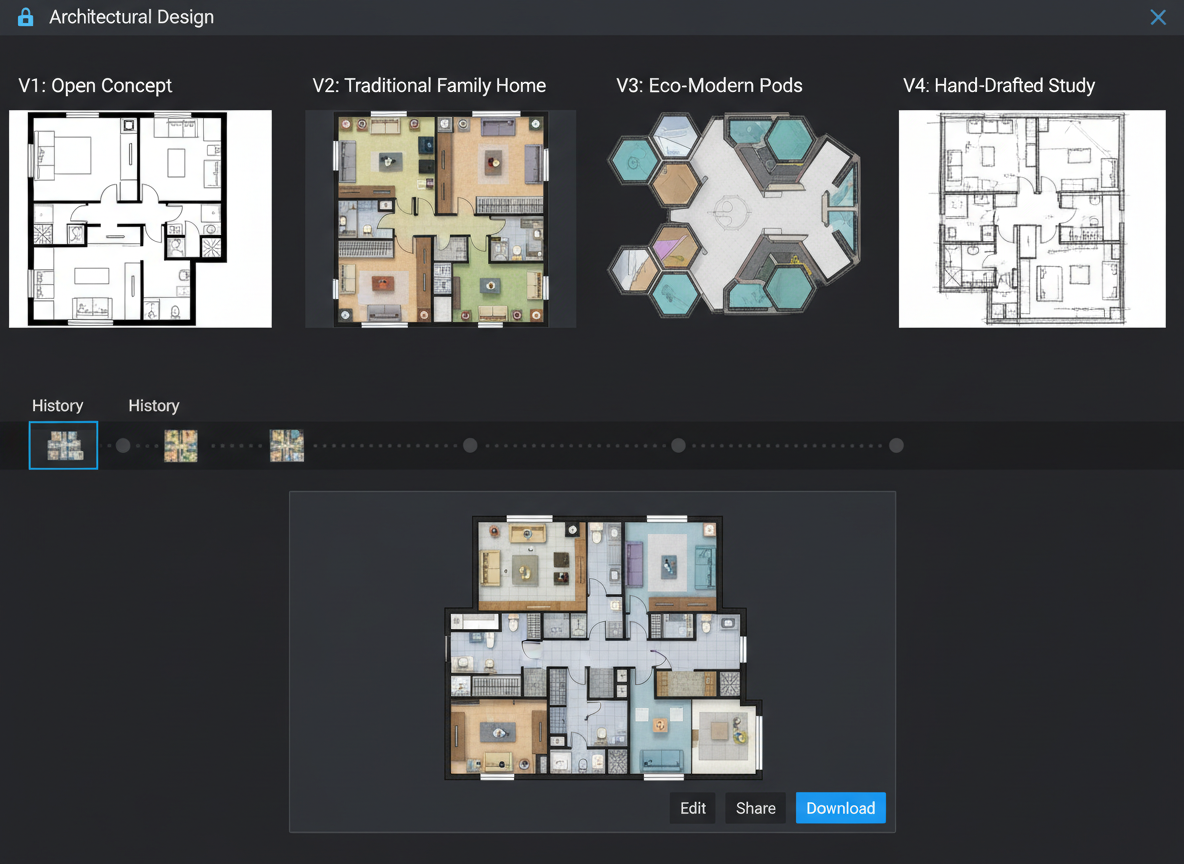
Seamless Workflow & Collaboration
Every floor plan generated is saved in your history, allowing you to compare iterations and share with ease. This smart floor plan tool integrates into your existing workflow, acting as a virtual floor planner that facilitates clear communication with contractors, clients, and partners. Export your designs as images or PDFs for effortless sharing, making collaboration a breeze with this online floor plan solution.

Who Benefits from Our Automatic Floor Plan Creator?

Homeowners & DIY Enthusiasts: Easily visualize potential home renovations or new construction layouts with an intuitive floor plan tool .

Interior Designers & Decorators: Rapidly generate initial concepts and iterate designs with clients using a versatile house layout planner.

Real Estate Professionals: Create compelling 2D real estate floor plans for listings, helping buyers understand property flow and maximizing appeal.

Contractors & Consultants: Translate verbal ideas into clear 2D floor plan visuals to align scope and facilitate project planning.

Your Guide to Using the Automatic Floor Plan Creator
1
Set Rooms: Begin by choosing your desired number of bedrooms (0-4) and bathrooms (1-3) to establish the basic structure of your 2D floor plan.
2
Choose Kitchen Style: Decide between an open or closed kitchen layout, influencing the flow and privacy of your living spaces.
3
Pick Gross Area: Select a gross area range that aligns with your target size, allowing the automatic floor plan creator to proportion rooms accurately.
4
Add Extras: Enhance your design by multi-selecting features like a walk-in closet, laundry room, home office, garage, pantry, combined living-dining, or balcony.
5
Generate & Review: Click 'Generate' to see your new custom floor plan instantly. Review the results and make adjustments as needed in your Generation History.
6
Download & Share: Export your finalized digital floor plan as an image or PDF to share with clients, colleagues, or for your property listings.
Frequently Asked Questions About Our AI Floor Plan Generator
Comment cela transforme-t-il mes sélections en un plan ?
Le générateur de plan d'étage IA lit votre programme—chambres, salles de bains, type de cuisine, superficie brute et extras—puis applique des règles courantes d'adjacence et de circulation pour rédiger un plan d'étage 2D clair. Chaque clic crée un nouveau concept que vous pouvez affiner en modifiant les éléments.
Quels sont les plages et les valeurs par défaut ?
Chambres : 0–4 (par défaut 2). Salles de bains : 1–3 (par défaut 1). Cuisine : ouverte/fermée (par défaut ouverte). Superficie brute : choisissez la bande la plus proche. Extras : sélection multiple.
Quelle influence a la “Surface Brute”?
La bande guide l'échelle globale afin que les pièces et les couloirs soient adaptés à cet espace ; choisir la bande la plus proche donne le plan le plus crédible.
Cuisine ouverte vs. cuisine fermée—quelles sont les différences ?
Les cuisines ouvertes favorisent une vue continue entre le salon et la salle à manger et un flux plus fluide ; les cuisines fermées ont tendance à privilégier une zone de cuisson définie avec une séparation plus claire.
Que font les Extras ?
Les extras indiquent au créateur de plans d'étage AI quels espaces privilégier (par exemple, dressing près de la chambre principale, garde-manger adjacent à la cuisine, bureau à domicile dans un coin plus calme).
Puis-je comparer plusieurs versions ?
Oui. Chaque génération est enregistrée dans l’Historique des Générations. Utilisez le filtre "Créé avec AI Floorplan" et la vue en grille/liste pour examiner côte à côte.
Quelle est sa vitesse et comment les crédits sont-ils utilisés ?
La plupart des générations se terminent en quelques secondes. Chaque clic sur Générer consomme les crédits affichés sur le bouton ; tous les résultats sont stockés.
Est-ce que ça fonctionne sur une tablette ?
Oui—fonctionne dans le navigateur et se sent bien sur le bureau et l'iPad ; les paramètres persistent jusqu'à ce que vous les changiez et les régénériez.
Explore More Ideal House Design Tools
HouseGPT
Get expert advice on renovation materials, budget planning, and project timelines for your specific home.
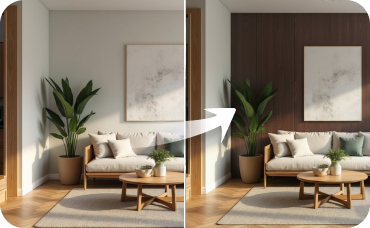
Room Visualizer
Go beyond shoe storage and redesign your entire room, changing wall colors, flooring, and lighting.
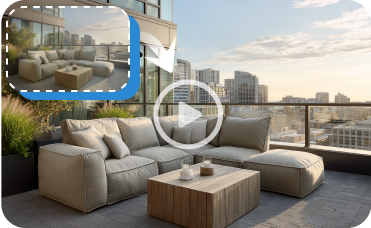
Image to Video
Create a captivating video tour of your home's exterior renovation to share online.
Ready to Design with the Ultimate Automatic Floor Plan Creator?
Map your space in minutes with a clear 2D floor plan—simple, fast, and share-ready with Ideal House.
Generate My Floor Plan
Ideal.House est plus qu'une plateforme : c'est votre écosystème de design d'intérieur tout-en-un. Plongez dans des outils IA puissants tels que Remodelage Intérieur, Rénovation Extérieure et Aménagement Paysager pour créer des espaces magnifiques, et laissez HouseGPT vous guider avec des suggestions personnalisées pour la planification, le style et l'aménagement. Connectez-vous à une communauté passionnée pour échanger des idées et des conseils, puis transformez vos designs du concept à la réalisation avec des produits sélectionnés qui correspondent à vos goûts.
Chez Ideal.House, nous avons construit un espace où technologie, créativité et collaboration se rejoignent pour redéfinir le design d'intérieur.
Chez Ideal.House, nous avons construit un espace où technologie, créativité et collaboration se rejoignent pour redéfinir le design d'intérieur.
Support Technique [email protected]



'%3e%3cpath%20d='M162.5%20200H37.5C16.6667%20200%200%20183.333%200%20162.5V37.5C0%2016.6667%2016.6667%200%2037.5%200H162.5C183.333%200%20200%2016.6667%20200%2037.5V162.5C200%20183.333%20183.333%20200%20162.5%20200ZM37.5%208.33333C21.6667%208.33333%208.33333%2021.6667%208.33333%2037.5V162.5C8.33333%20178.333%2021.6667%20191.667%2037.5%20191.667H162.5C178.333%20191.667%20191.667%20178.333%20191.667%20162.5V37.5C191.667%2021.6667%20178.333%208.33333%20162.5%208.33333H37.5Z'%20fill='black'/%3e%3cpath%20d='M54.4224%2040C52.5284%2040%2050.653%2040.3737%2048.9032%2041.0997C47.1534%2041.8257%2045.5635%2042.8899%2044.2242%2044.2314C42.885%2045.573%2041.8226%2047.1656%2041.0978%2048.9184C40.373%2050.6712%2040%2052.5498%2040%2054.447C40%2056.3442%2040.373%2058.2229%2041.0978%2059.9756C41.8226%2061.7284%2042.885%2063.3211%2044.2242%2064.6626C45.5635%2066.0041%2047.1534%2067.0683%2048.9032%2067.7943C50.653%2068.5203%2052.5284%2068.894%2054.4224%2068.894C56.3164%2068.894%2058.1918%2068.5203%2059.9416%2067.7943C61.6914%2067.0683%2063.2813%2066.0041%2064.6206%2064.6626C65.9598%2063.3211%2067.0222%2061.7284%2067.747%2059.9756C68.4718%2058.2229%2068.8448%2056.3442%2068.8448%2054.447C68.8448%2052.5498%2068.4718%2050.6712%2067.747%2048.9184C67.0222%2047.1656%2065.9598%2045.573%2064.6206%2044.2314C63.2813%2042.8899%2061.6914%2041.8257%2059.9416%2041.0997C58.1918%2040.3737%2056.3164%2040%2054.4224%2040ZM82.4631%2079.8415V159.993H107.307V120.357C107.307%20109.898%20109.271%2099.7689%20122.217%2099.7689C134.985%2099.7689%20135.143%20111.727%20135.143%20121.017V160H160V116.045C160%2094.4536%20155.36%2077.8607%20130.166%2077.8607C118.071%2077.8607%20109.963%2084.5097%20106.648%2090.8022H106.311V79.8415H82.4631ZM41.9775%2079.8415H66.8608V159.993H41.9775V79.8415Z'%20fill='black'/%3e%3c/g%3e%3cdefs%3e%3cclipPath%20id='clip0_1255_15'%3e%3crect%20width='200'%20height='200'%20fill='white'/%3e%3c/clipPath%3e%3c/defs%3e%3c/svg%3e)

💰 Gagnez 10% de commission en tant que Partenaire Affilié d'Ideal House.
Rejoignez-nous