





जनरेटर
इतिहास
मॉडल
बेस
स्विच
संदर्भ फ्लोर योजना
अपलोड करें
बेडरूम
-
2
+
बाथरूम
-
1
+
कुल क्षेत्रफल
यूनिट Metric
 साम्राज्यिक
Metric साम्राज्यिकक्षेत्र
< 50㎡
50-80㎡
80-100㎡
100-120㎡
120-150㎡
> 150㎡
अतिरिक्त सुविधाएं
कोई विशेष चीज़ ढूंढ रहे हैं?
उदाहरण: चमकदार रंगों वाला आधुनिक शैली का लिविंग रूम, नरम प्रकाश और न्यूनतम डिजाइन।
 गिनती
गिनती
Design Your Dream Layout: The Ultimate Bubble Diagram Floor Plan Maker
Unleash your creativity with Ideal House's AI-powered bubble diagram floor plan maker. Quickly visualize spatial relationships and create functional room layouts for any project. Whether you're a homeowner, designer, or real estate professional, generate detailed 2D floor plans in seconds, transforming high-level ideas into clear, actionable designs. It's the intuitive home design tool you've been waiting for.
Generate My Floor Plan


Revolutionize Your Floor Planning Process

Instant Room Layout Planner
Our AI floor plan generator turns your vision into a detailed 2D floor plan almost instantly. Define bedrooms, bathrooms, kitchen style, and gross area, then watch as the tool drafts a coherent layout. This isn't just a floor plan creator; it's a speed accelerator for your design workflow, making complex room arrangements simple. Get quick floor plan concepts with ease.

Intuitive Bubble Diagram Floor Plan Maker
Experience the next generation of schematic design. Our bubble diagram floor plan maker helps you map spatial relationships with unprecedented ease. Select specific 'extras' like a walk-in closet, home office, or combined living-dining, and our AI intelligently integrates them, optimizing room adjacency and flow. It's a powerful building layout generator for any North American residential project.

Precision with Parameter-Driven Design
Go beyond basic floor plan diagramming. With Ideal House, you control the architectural drawing software by setting precise parameters—from the number of rooms to specific gross area ranges. This ensures your generated plans align perfectly with your project's scope, providing a realistic foundation for your house plan generator needs. Craft an accurate house plan maker design.

Enhanced Collaboration and Visualization
The Ideal House AI floor plan generator is more than just a tool; it's a communication enhancer. Generate multiple design iterations and save them in your Generation History. Easily compare, refine, and share concepts with clients or teammates. This layout visualization feature makes explaining complex designs effortless, fostering better decision-making and ensuring everyone is on the same page for your concept floor planning.

Who Benefits from Our AI Floor Plan Generator?

**Homeowners & DIY Enthusiasts:** Easily plan renovations, explore room additions, or visualize your dream home layout before hiring professionals. Get a quick floor plan of your ideas.

**Interior Designers & Architects:** Accelerate your initial design phase, rapidly prototype ideas, and present various room layout planner options to clients without hours of manual drafting.

**Real Estate Agents & Developers:** Create professional 2D floor plans for listings in minutes, providing buyers with clear, compelling visuals that enhance property understanding and appeal.

How to Use Ideal House: Your Bubble Diagram Floor Plan Maker
1
**Set Your Blueprint:** Begin by choosing the number of bedrooms (0-4) and bathrooms (1-3) for your ideal layout. This forms the core of your residential layout designer plan.
2
**Define Your Kitchen Style:** Decide between an 'open' or 'closed' kitchen. This crucial choice influences the overall flow and spatial relationship mapping of your floor plan.
3
**Select Gross Area Range:** Pick the approximate size of your property from predefined ranges to ensure a proportionate and realistic design. This guides the house plan generator's scale.
4
**Add Key 'Extras':** Personalize your plan by multi-selecting features like a walk-in closet, home office, garage, or balcony. Our bubble diagram tool integrates these seamlessly.
5
**Generate & Refine:** Click 'Generate' and watch our AI create a preliminary 2D floor plan. Review, tweak parameters, and regenerate to explore different concept floor planning options.
6
**Download & Share Your Masterpiece:** Once satisfied, download your finalized floor plan as an image or PDF. Share it with clients, contractors, or use it for your property listings.
FAQs About the AI Floor Plan Generator
How does Ideal House turn my selections into a floor plan?
Our AI floor plan generator interprets your input parameters—like bedrooms, bathrooms, kitchen style, gross area, and selected 'extras'—and applies established architectural principles to draft a clear 2D floor plan. It's a smart floor plan creator that understands room adjacency and circulation, offering a fresh concept with each click.
Can I use this as a bubble diagram floor plan maker for early concepts?
Absolutely! The tool excels as a bubble diagram floor plan maker, allowing you to quickly explore spatial relationships and room adjacencies without getting bogged down in details. It's perfect for schematic design and initial concept floor planning before moving to more detailed architectural drawing software.
What do the 'Extras' like a walk-in closet or home office do?
The 'Extras' are powerful cues for our AI floor plan generator. Selecting them tells the system to prioritize and appropriately integrate these spaces into your layout. For example, a walk-in closet will be placed adjacent to a primary bedroom, and a home office in a quieter, more secluded area, enhancing the functionality of your house plan generator.
Is this a house plan generator suitable for North American standards?
Yes, our AI floor plan generator is specifically designed with North American residential layouts in mind. It incorporates common room adjacencies, typical room sizes, and popular spatial configurations to ensure the generated 2D floor plans are realistic and relevant for the North American market. It's a reliable residential layout designer.
How can I compare different floor plan designs?
Every floor plan generated is automatically saved in your 'Generation History'. You can easily access, filter by 'Created with AI Floorplan', and view multiple designs side-by-side in grid or list view. This layout visualization feature makes comparing different room layout planner options straightforward and efficient, helping you pick the best design.
Enhance Your Designs with Related Ideal House Tools
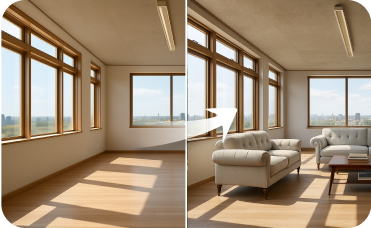
Virtual Staging
Once you've designed your structural extension, furnish the new space instantly to see its full potential.
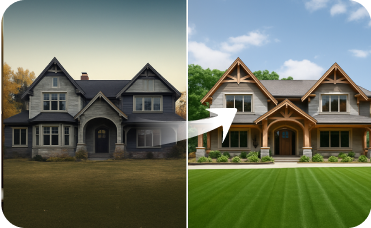
Exterior Renovator
Boost curb appeal by virtually updating siding, windows, roofing, and paint colors.
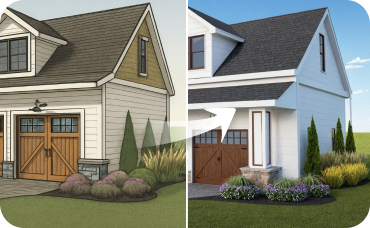
AI 3D Rendering
Create a high-resolution, multi-angle 3D model of your completely redesigned, timeless American traditional room.
Transform Your Ideas into Reality with Our Bubble Diagram Floor Plan Maker
Experience the fastest way to generate, visualize, and refine 2D floor plans. Ideal House makes professional design accessible.
Generate My Floor Plan
Ideal.House यह सिर्फ एक प्लेटफ़ॉर्म से अधिक है—यह घर डिज़ाइन के लिए एक समग्र घरेलू पारिस्थितिकी तंत्र है। इंटीरियर रेनोवेशन, एक्सटीरियर रेनोवेशन, लैंडस्केप डिज़ाइन जैसे शक्तिशाली AI टूल का आनंद लें ताकि आप अद्भुत स्थान बना सकें, और HouseGPT को योजना बनाने, निर्माण करने और स्थानों को सजाने के लिए व्यक्तिगत अनुशंसाओं के साथ मार्गदर्शन करने दें। विचारों और सुझावों के आदान-प्रदान के लिए उत्साही समुदाय से जुड़ें, और फिर अपने प्रोजेक्ट्स को अवधारणा से कार्यान्वयन तक लाने के लिए सावधानीपूर्वक चयनित उत्पादों के साथ अपने स्वाद के अनुरूप लाएं।
हम Ideal.House, हमने एक ऐसी जगह बनाई है जहाँ तकनीक, रचनात्मकता और सहयोग मिलकर घर के डिज़ाइन को फिर से परिभाषित करते हैं।
हम Ideal.House, हमने एक ऐसी जगह बनाई है जहाँ तकनीक, रचनात्मकता और सहयोग मिलकर घर के डिज़ाइन को फिर से परिभाषित करते हैं।
तकनीकी सहायता [email protected]



💰 Ideal House के एफिलिएट पार्टनर के रूप में 10% कमीशन प्राप्त करें।
हमसे जुड़ें