


20 Smart Tips for Seamless Household Renovation
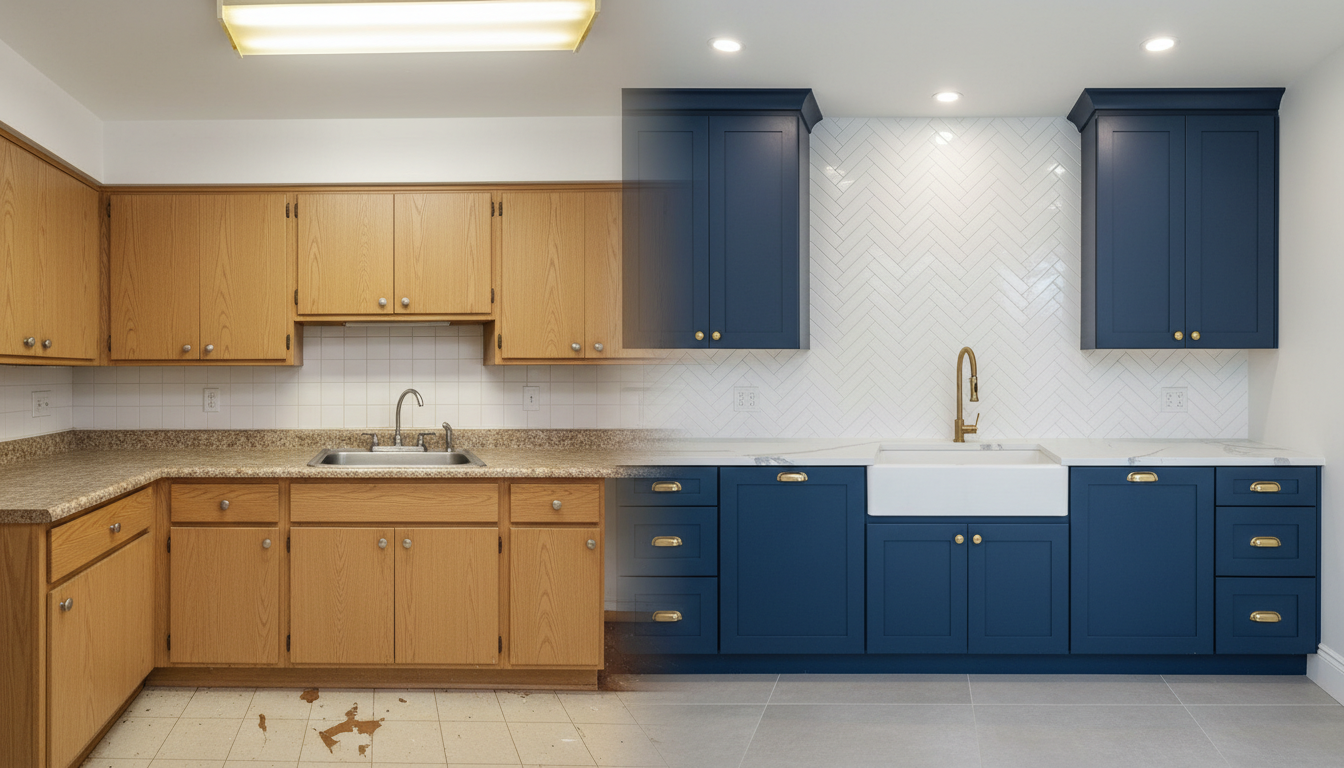
Planning a home makeover has never been easier. This guide shares practical ways to visualize interior and exterior design, pick suitable home materials, arrange furniture properly and draw reasonable house layouts. Get useful decorating tips to make wise renovation choices, avoid unnecessary mistakes and turn your ideal living space into reality smoothly.
The thrill of a DIY home renovation is undeniable. You’ve scrolled through countless inspiration boards, earmarked design magazines, and dreamt of that perfect kitchen or serene bedroom. But bridging the gap between that dream and a real-world result can be daunting. The biggest fear for any DIYer isn't the work itself—it's the uncertainty. Will that paint color look right? Will the new flooring clash with the cabinets? Will the finished project match the vision in your head? Costly mistakes and "renovation regret" often stem from one thing: a failure to visualize the outcome.
This is where modern planning tools change the game. Instead of relying on guesswork and tiny paint swatches, you can now use a digital co-pilot to see your project come to life before you ever pick up a hammer. Platforms like Ideal House offer a suite of AI-powered tools designed to de-risk your DIY journey, making it easier to plan, visualize, and execute your renovation with confidence. Let's explore how you can map out your entire project, from the big picture to the smallest detail.
Start with the Vision: See Your Dream Room Before You Build It
Before you can choose materials or plan a layout, you need to define the overall style. What is the end goal? Are you aiming for a cozy Modern Farmhouse kitchen, a sleek Japandi living room, or a bold and moody bedroom? This is the most crucial, and often most difficult, decision to make.
Remodel Your Interior Spaces Instantly
Instead of just imagining, you can see it. With an AI tool like Interior Remodel, you can upload a photo of your current space and instantly generate previews in dozens of different design styles. This is a game-changer for anyone struggling with renovation paralysis.
- DIY Kitchen Remodel Visualization: See your dated kitchen transformed with white cabinets, wood flooring, and a new island.
- Bedroom Makeover Inspiration: Test styles from Minimalist to Bohemian to find the one that feels most like you.
- Living Room Redesign Ideas: Compare an open-concept layout with a cozier, more traditional feel in seconds.
Reimagine Your Home's Curb Appeal
A DIY home renovation isn't limited to the indoors. Boosting your home’s curb appeal can have a massive impact, but visualizing exterior changes is notoriously difficult. Using an Exterior Renovator tool, you can upload a photo of your home's facade and experiment with changes risk-free. Preview how different siding materials, window trim colors, roofing, or even front yard landscaping will look before you commit to the expense and effort.
Nail the Details: Choose Materials with Confidence
Once you have a high-level vision, the focus shifts to the details. This is where many DIY projects go wrong. A flooring sample that looked great in the store can look completely different under your home’s specific lighting. An online photo of a countertop doesn’t show you how it will pair with your existing backsplash.
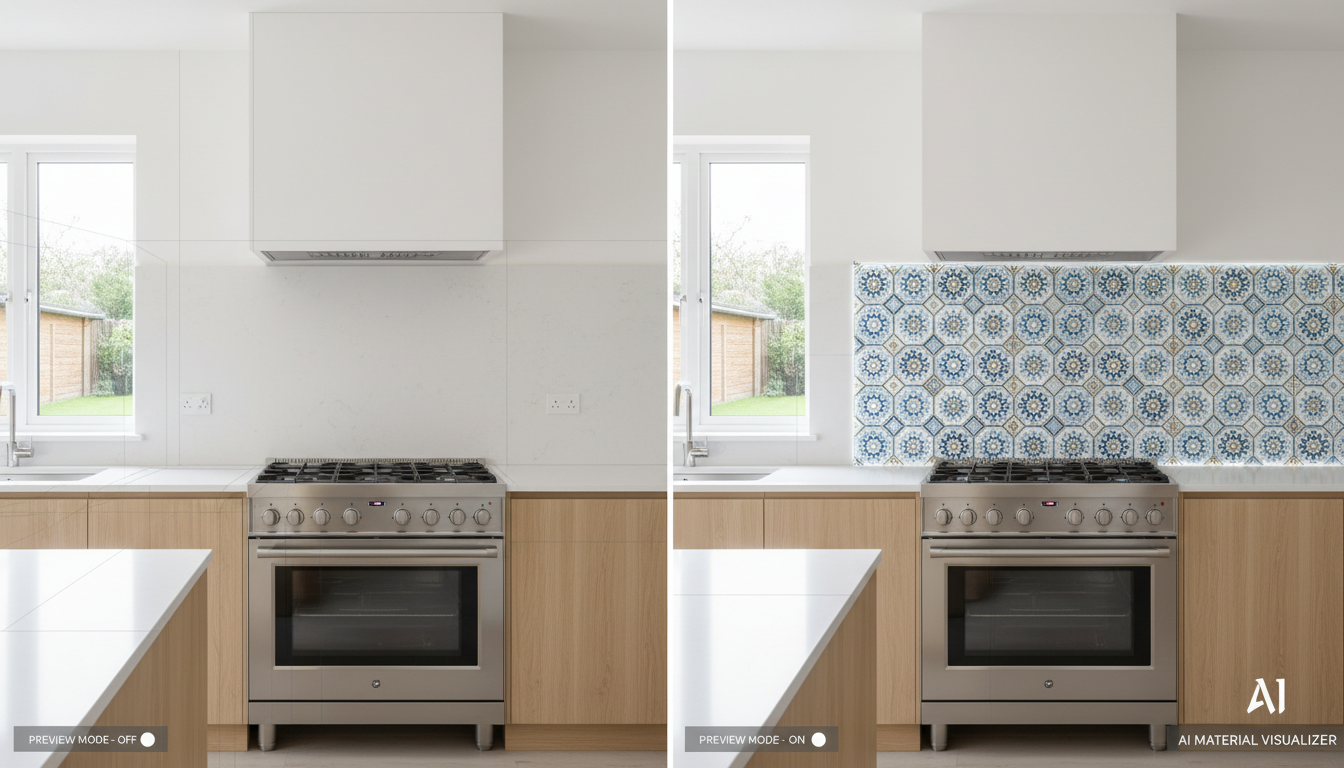
This is where a material visualizer becomes your best friend. Tools like the Room Visualizer and Texture Replacer let you "try on" finishes directly in a photo of your space.
- Flooring Visualizer: Upload a picture of your living room and test everything from dark hardwood to light luxury vinyl tile (LVT). See how the grain and color interact with your walls and furniture.
- Countertop and Backsplash Previews: Deciding between quartz, marble, or butcher block for your kitchen? An AI visualizer can show you a photorealistic preview of each option on your actual cabinets.
- Upholstery and Fabric Swapping: If you're not replacing furniture, you can still give it a new life. Use the Texture Replacer to see how your old sofa would look reupholstered in a new fabric you found online.
- Targeted Changes: For smaller updates, the Smart Replacer is perfect. Select your current light fixtures and use a simple text prompt like "black pendant light" to see an instant update.
Perfect the Layout: Plan Your Space and Furniture
A beautiful room is also a functional one. Proper furniture placement and flow are essential, but it's hard to get a feel for a space from a 2D drawing. This is especially true when deciding whether a new piece of furniture will fit and, more importantly, look right.
Create a Blank Canvas
Before planning a new layout, it helps to see the space empty. An Object Remover tool allows you to quickly erase your current furniture from a photo, giving you a clean slate to measure and imagine new possibilities.
Try Furniture Before You Buy
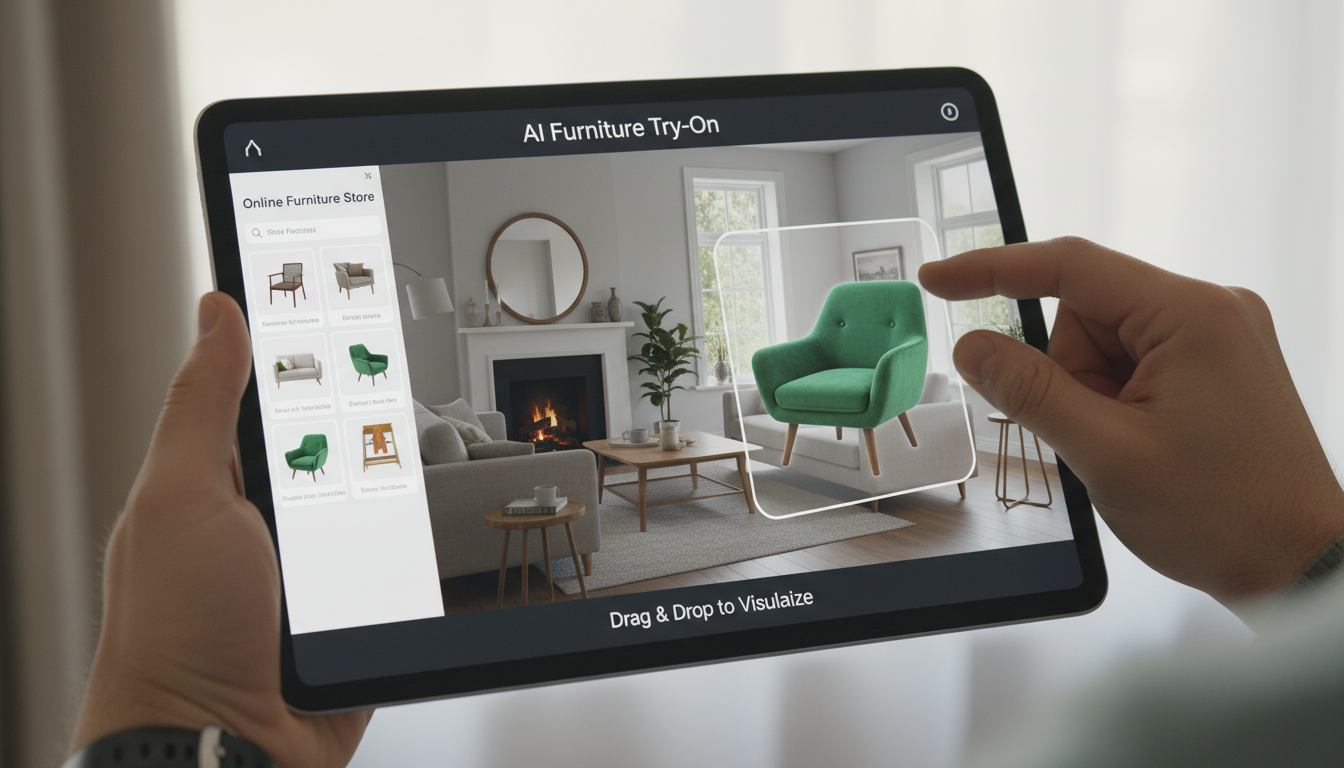
One of the biggest gambles in a DIY redecoration is buying a new sofa or dining set online, only to find it overpowers the room or clashes with your decor. With a tool like Furniture Try-On, you can:
- Upload a photo of your room.
- Upload product images of the furniture you're considering.
- Let the AI realistically place the new items in your space, even replacing existing furniture.
This simple process answers the two most critical questions: "Will it fit?" and "Will it look good here?"
Generate and Visualize Floor Plans
For larger renovations involving structural changes, an Floor Plan Generator can help you explore different layouts. Simply input your requirements—like the number of bedrooms, kitchen style, and desired features (e.g., walk-in closet, home office)—to generate clean 2D plans. Then, use an AI Plan Visualizer to turn that simple sketch or floor plan into a stunning, 3D-like rendering to truly understand the space.
Your AI Co-Pilot for Ideas and Advice
Even with the best visual tools, questions will always come up. What paint colors complement a south-facing room? What are the most durable materials for a home with pets? A chat-based AI like HouseGPT can act as your personal design assistant, offering advice, generating ideas, and helping you overcome creative blocks.
For truly custom ideas, the Magic Editor allows you to make complex changes with simple text. Upload a photo and type "add a skylight," "turn the wall into exposed brick," or "replace the floor with white marble," and watch the AI generate a photorealistic image of your unique vision.
A successful DIY home renovation is built on confident decisions. By leveraging visualization tools to plan every step, you eliminate guesswork, avoid costly mistakes, and ensure the final result is a true reflection of your dream. Ready to stop guessing and start seeing? Your risk-free renovation journey begins with a clear vision.