







制作
历史
AI 平面图生成器
更改工具
模型
基础版
切换
参考户型图
上传
卧室
-
2
+
浴室
-
1
+
总面积
单位 公制
公制 英制
英制
公制 英制面积
< 50㎡
50-80㎡
80-100㎡
100-120㎡
120-150㎡
> 150㎡
附加设施
寻找特定内容吗?
示例:现代风格的客厅,明亮的色彩,柔和灯光,极简设计
 数量
数量
Unlock Your Dream Layouts: Generate Bloxburg Floor Plans Instantly with AI
Imagine designing your perfect home in minutes, not hours. Ideal House’s AI Floor Plan Generator is your ultimate tool for creating stunning and functional bloxburg floor plans. Whether you’re a Bloxburg enthusiast, a homeowner dreaming of a renovation, or a real estate professional, our AI-powered solution simplifies floor plan design. Get ready to visualize intricate house plans, experiment with room planner layouts, and bring your architectural drawing ideas to life with unparalleled speed and precision. No complex software, just intuitive design for your ideal space.
Generate My Floor Plan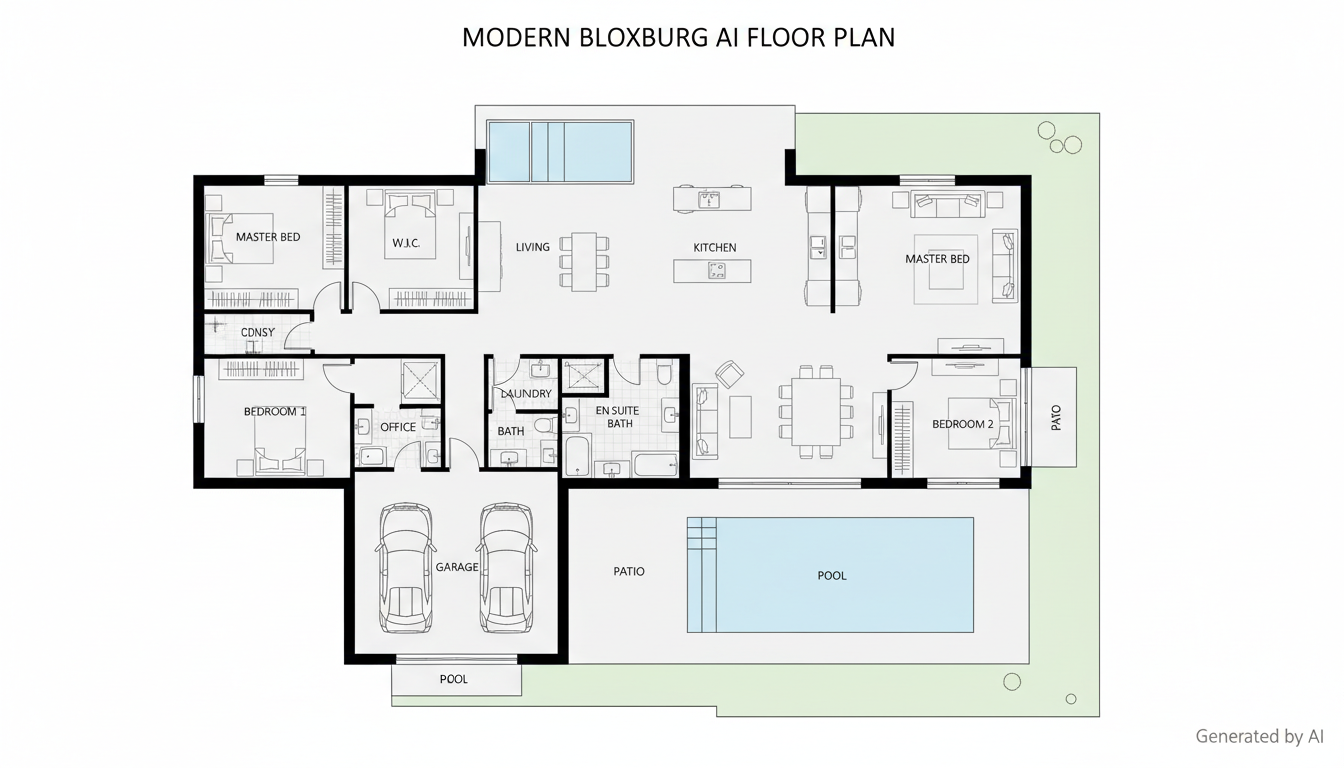


Why Ideal House is Your Go-To for Bloxburg Floor Plans
Instant 2D Floor Plan Generation
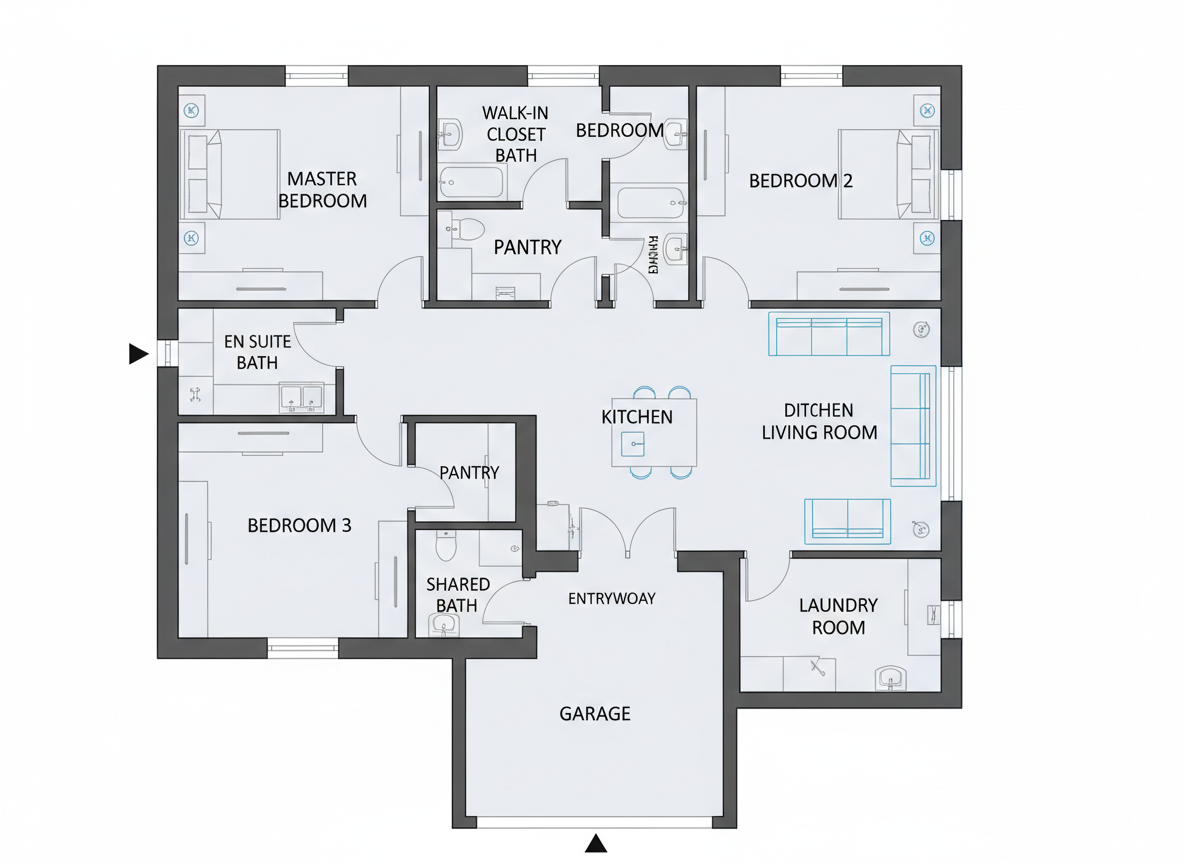
Say goodbye to manual drawing. Our AI Floor Plan Generator instantly transforms your specifications into clear, professional 2D floor plans. Define your ideal number of bedrooms and bathrooms, choose between open or closed kitchen concepts, and set a gross area range. Within seconds, you'll have presentation-ready blueprints, perfect for exploring various floor layout options for your bloxburg creations or real-world home renovation projects. This rapid generation capability means more design iterations in less time, letting you focus on perfecting your vision.
Tailored Design with Smart Parameters
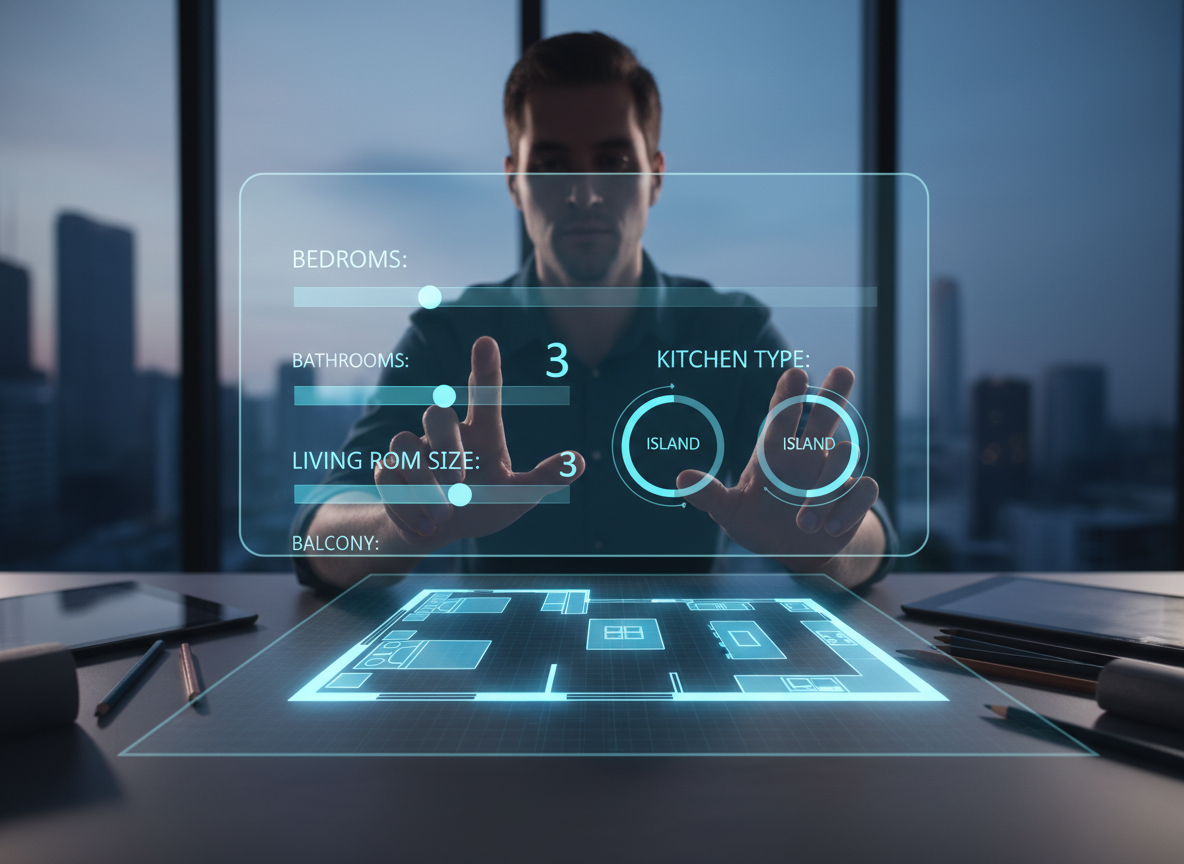
Every great design starts with precise requirements. Our tool allows you to fine-tune your bloxburg floor plans with crucial parameters. Specify bedrooms (0-4), bathrooms (1-3), and kitchen style (open/closed). Guide the architectural drawing by selecting a gross area band (e.g., <50㎡ to >150㎡). These intelligent inputs ensure the AI delivers house plans that align perfectly with your spatial planning needs, whether you're designing a cozy apartment layout or a sprawling property development. Experience truly custom home plans with unmatched ease.
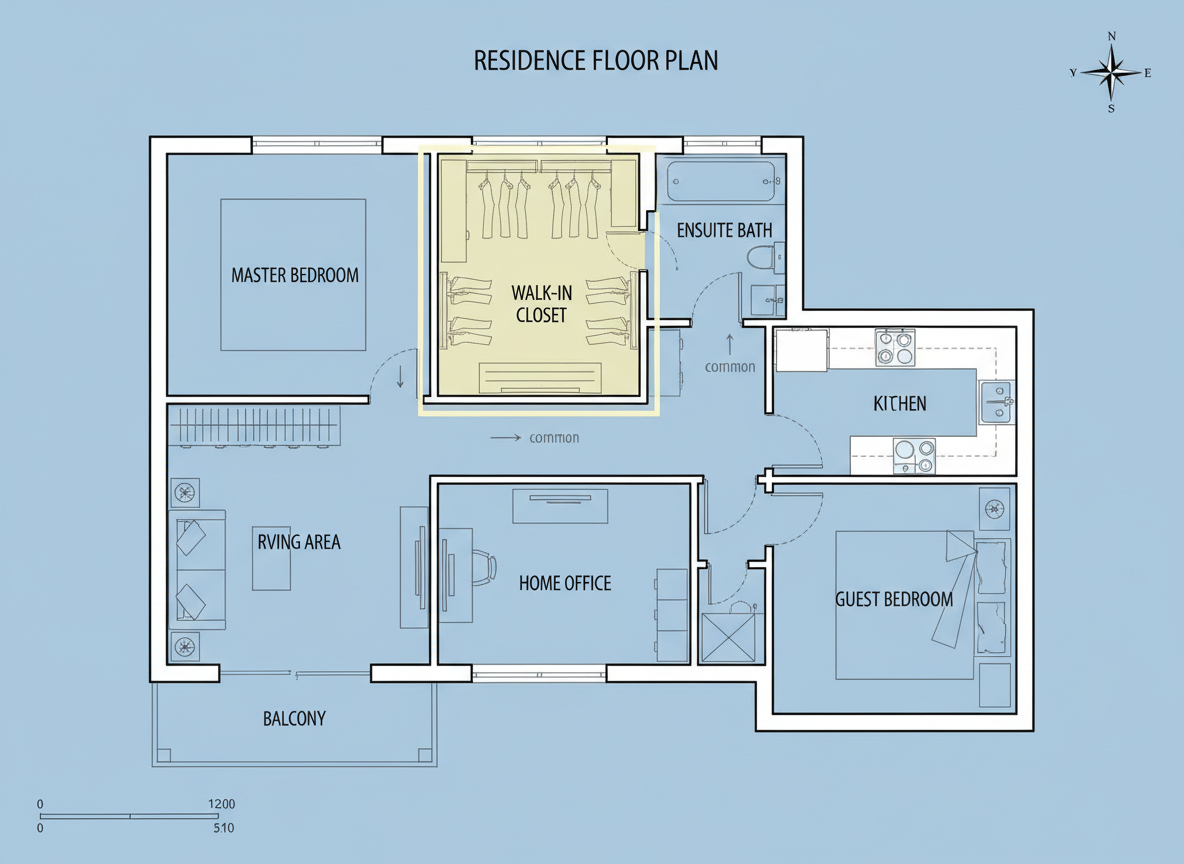
Add Key Extras for Functional Spaces
Beyond basic rooms, our AI Floor Plan Generator lets you integrate essential extras that define livability. Want a walk-in closet in your master bedroom? A dedicated home office for productivity? Or perhaps a convenient laundry room, garage, pantry, or balcony? Our tool intelligently incorporates these elements into your bloxburg floor plans, optimizing zoning and room relationships. This feature is invaluable for creating realistic and highly functional house plans, ensuring every inch of your interior layout serves a purpose.
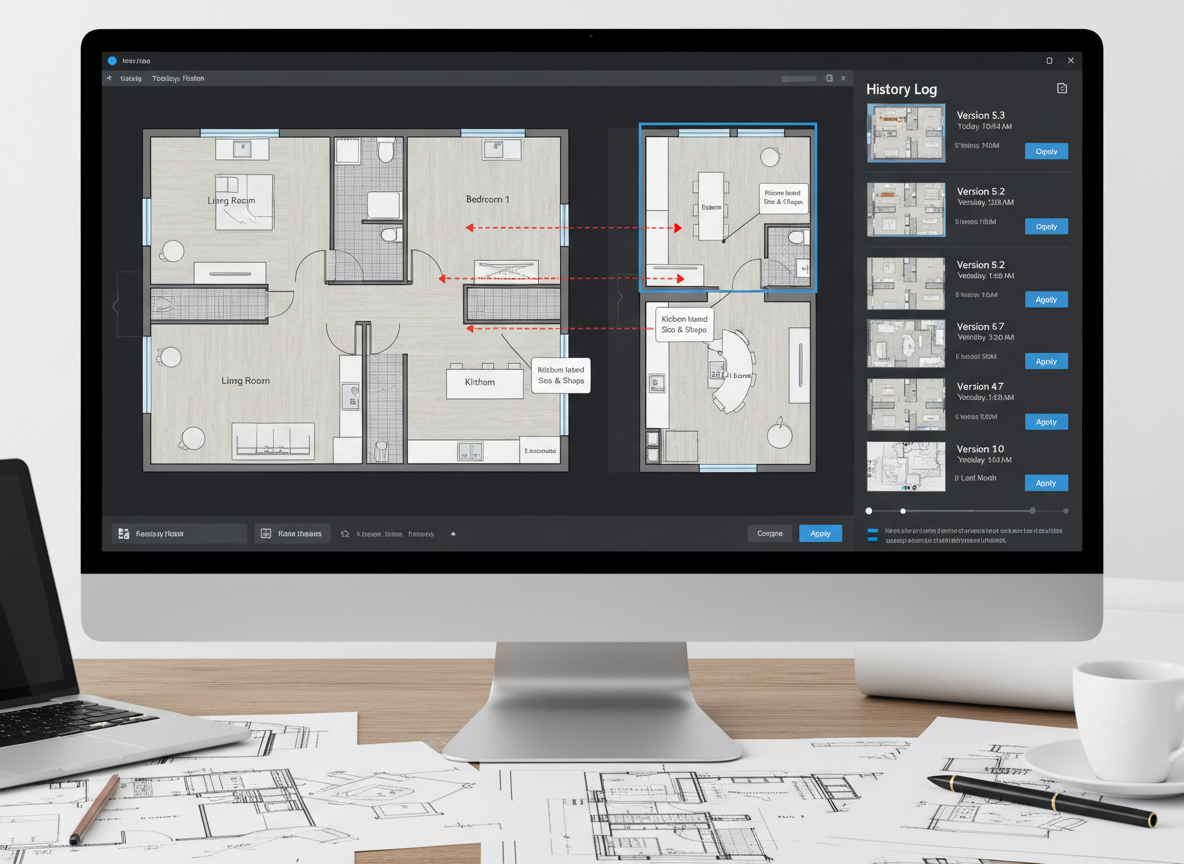
Seamless History & Easy Comparison
Designing is an iterative process. With Ideal House, every floor plan you generate is automatically saved in your Generation History. Easily filter by 'Created with AI Floorplan' and switch between grid or list views to compare different bloxburg floor plans side-by-side. This allows for effortless review and selection of the best blueprint creator output, helping you refine your residential architecture visions. Never lose a great idea and always have a comprehensive record of your design journey.

Who Benefits from Ideal House AI Floor Plans?

Bloxburg Players & Enthusiasts: Create complex, beautiful bloxburg floor plans for your in-game builds, optimizing flow and aesthetics.

Homeowners & DIY Planners: Experiment with home design software to visualize renovations, extensions, or new home construction with ease.

Real Estate Professionals: Generate consistent, clear 2D real estate floor plans for listings, helping buyers quickly understand property layouts and enhancing property development presentations.

Interior Designers & Decorators: Rapidly produce initial apartment layout concepts and iterate live with clients, showcasing various interior layout possibilities.

Contractors & Consultants: Translate verbal briefs into tangible architectural drawing visuals to align project scope and facilitate client discussions effectively.

Build Your Dream Bloxburg Floor Plans in 6 Simple Steps
1
Set Rooms: Choose the number of Bedrooms (0-4; default 2) and Bathrooms (1-3; default 1) to define the core of your house plans.
2
Choose Kitchen Style: Toggle between 'open' or 'closed' kitchen (default: open) to influence the overall floor layout and living space flow.
3
Pick Gross Area: Select a size range that best matches your target footprint to guide proportions and create realistic bloxburg floor plans.
4
Add Extras: Multi-select desired features like a walk-in closet, laundry room, home office, garage, pantry, combined living-dining, or balcony for tailored spatial planning.
5
Generate & Review: Click 'Generate' (credits shown on button) to instantly produce your 2D floor plan. Review results in the preview panel and 'Generation History'; tweak and regenerate to compare versions.
6
Download & Share: Export your selected floor plan design as an image or PDF, ready to share with friends, clients, or for your bloxburg builds.
Frequently Asked Questions About Bloxburg Floor Plans & AI Design
How does the AI turn my selections into bloxburg floor plans?
Our AI floor plan generator interprets your program – beds, baths, kitchen type, gross area, and extras – then applies smart adjacency and circulation rules to draft a clear 2D floor plan. Each generation provides a fresh concept you can refine by adjusting the parameters, making it an ideal blueprint creator for your next build.
What are the available ranges and default settings for floor plan design?
You can select 0–4 Bedrooms (default 2), 1–3 Bathrooms (default 1), and choose between an 'open' or 'closed' Kitchen (default open). Gross Area bands are available to guide overall scale. Extras allow multi-selection for specialized room planner features like a walk-in closet or home office.
What influence does 'Gross Area' have on the generated house plans?
The Gross Area band is crucial for guiding the overall scale of your bloxburg floor plans. Choosing the closest band ensures that rooms and corridors are proportioned realistically for that specific footprint, leading to more believable and functional floor layout designs.
What's the difference between open and closed kitchen concepts in the AI floor plans?
Open kitchens, often seen in modern apartment layout designs, favor a continuous sightline and smoother flow between living and dining areas. Closed kitchens, conversely, prioritize a defined cooking zone with clearer separation, offering more privacy and often more wall space for cabinets. Both impact the overall interior layout and feeling of your home design.
How do 'Extras' like a walk-in closet or home office affect my residential architecture plans?
Extras tell the AI floor plan maker which spaces to prioritize and how to integrate them intelligently. For instance, a walk-in closet will typically be placed near a primary bedroom, a pantry adjacent to the kitchen, and a home office in a quieter corner. This ensures optimized spatial planning for your custom home plans.
Enhance Your Bloxburg Floor Plans with More Ideal House Tools
AI 3D Rendering
Transform 2D photos of your dining room into an immersive, fully editable 3D scene.

Magic Editor
Fine-tune specific details in your AI-generated room, like changing a light fixture or a piece of art.
HouseGPT
Get expert AI advice on material choices, renovation sequencing, and budget-friendly alternatives.
Ready to Design Your Next Masterpiece? Generate Bloxburg Floor Plans Now!
Transform your ideas into stunning 2D floor plans with Ideal House. Fast, intuitive, and incredibly powerful. Perfect your home design software experience today.
Generate My Floor Plan
Ideal.House 不仅仅是一个平台——它是您的一站式家居设计生态系统。深入探索室内改造、外部翻新和景观设计等强大的AI工具,打造令人惊艳的空间,让HouseGPT为您提供量身定制的规划、风格和家具建议。与充满激情的社区联系,交流想法和建议,然后通过精心挑选的符合您品味的产品将您的设计从概念变为现实。
在 Ideal.House, 我们构建了一个科技、创造力和协作相结合的空间,重新定义了家居设计。
在 Ideal.House, 我们构建了一个科技、创造力和协作相结合的空间,重新定义了家居设计。
技术支持 [email protected]


💰 作为Ideal House合作伙伴赚取10%佣金。
加入我们