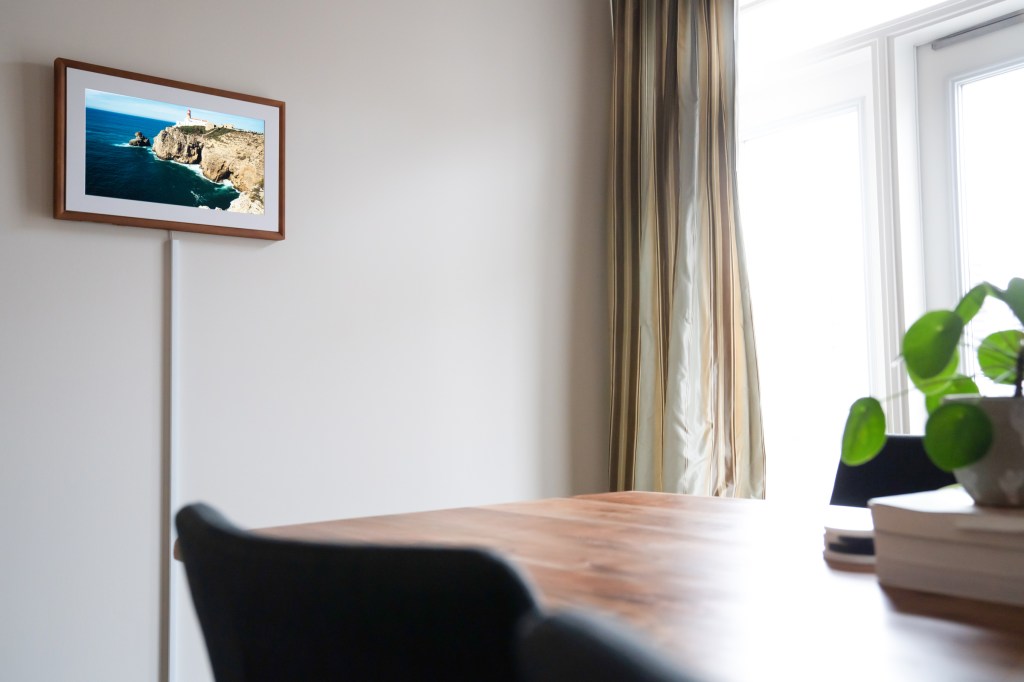
1/5
Meural Canvas II digital art frame review
Netgear has released the Meural Canvas II, an updated version of its digital art frame, following the acquisition of Meural in September. This new generation of connected frames introduces several quality-of-life improvements and an additional size option, enhancing a product already considered excellent. While not a dramatic overhaul from the original Meural Canvas, the enhancements make the device more user-friendly and versatile.
The Meural Canvas II is available in two sizes: a 16x24-inch frame with a 21.5-inch diagonal picture, starting at $399.95, and a larger 19x29-inch frame with a 27-inch diagonal display, starting at $599.95. Both models feature 1080P full HD resolution screens and are equipped with ambient light sensors. These sensors, now repositioned under the mat for better light detection, automatically adjust display brightness to create a more natural, less screen-like appearance. The Canvas II also includes upgraded built-in Wi-Fi, reflecting Netgear’s expertise in networking, and adds new Ethernet connectivity and full-size SD card ports. The frames can be hung in either vertical or horizontal orientations, with an optional accessory mount available for easier rotation.
Control of the Meural Canvas II is primarily managed through the Meural companion app, with a web interface also available for desktop users. The app provides access to curated art collections, which are available through a paid monthly subscription or one-time purchases. While the subscription no longer covers all available art, it still offers 20GB of cloud storage for personal uploads, discounts on premium content, and access to a vast library. Subscriptions are priced at $8.95 per month or $69.95 per year, catering to casual art enthusiasts seeking regular changes to their wall decor. When displaying art from Meural’s collections, users can access credits and descriptions directly on the screen using a motion control swipe gesture. However, while motion controls exist, the iOS or Android app generally offers a more pleasant control experience. Meural continuously expands its art library, including recent partnerships with entities like Marvel, adding movie posters and other content.
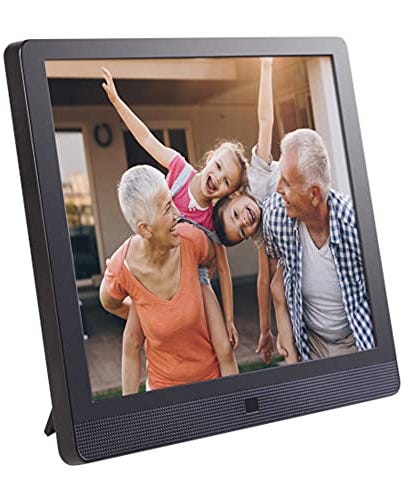
Beyond curated art, the Meural Canvas II excels as a display for personal photographs. Users can easily upload photos from mobile devices or desktops, organize them into playlists, add descriptions, and either manually crop them or have the frame automatically adjust them to its 16x9 aspect ratio. The device offers a flexible and cost-effective alternative to traditional high-quality prints, allowing frequent rotation of images. Its color rendering and matte finish provide a pleasing visual experience, making it an ideal platform for showcasing personal photography. The inclusion of an SD card reader simplifies loading images locally, and the upgraded Wi-Fi ensures quick and easy uploads from connected devices. The ability to quickly change the frame's orientation is another significant advantage for photographers, accommodating both portrait and landscape images. The Canvas also supports various standard image formats, including animated GIFs, expanding its utility beyond just photography.
Overall, the Meural Canvas II stands out as a highly customizable piece of home decor. While alternatives like Samsung’s The Frame TV exist, the Meural Canvas II offers a more focused solution for art and photography display, with better flexibility in content curation, lighter weight for mounting, and more manageable sizes and price points. The improved Wi-Fi connectivity, enhanced motion controls, expanded on-device storage, and new mounting options make this generation a significant upgrade. For those desiring variety in wall art or a compelling way to display their digital photos, the Meural Canvas II presents a strong option.
#MeuralCanvasII #DigitalArtFrame #Netgear #HomeDecor #PhotographyDisplay #SmartHomeGadget #WiFiConnectivity #ArtSubscription #HardwareReview #MeuralCanvasII #DigitalArtFrame #Netgear #HomeDecor #PhotographyDisplay #SmartHomeGadget #WiFiConnectivity #ArtSubscription #HardwareReview
0 comment in total
 No comments yet
You may also like

CanvasPop framed print review


The best digital picture frames

Share Your Favorite Memories With the Best Digital Picture Frames of 2023


Our Favorite Digital Picture Frames Will Replace All Your Photo Albums

Frameology offers high-quality, affordable photo framing online (and it makes a great gift)


Want to rent art for your home? Here’s how you can do it for INR 90 a month!


The Best Online Framing Services for Flawlessly Framed Pictures

The best canvas print services in 2023

The best picture frames of 2023

If You’re Looking To Buy Affordable Art, Here Are The Best 35 Places To Shop Online


How to create an Instagram-worthy gallery wall: Interiors experts on framing and displaying your art

How to Hang an Art Collection Like an Expert
I Tried 3 Digital Picture Frames And Was Pretty Impressed


The 2 Best Online Framing Services of 2025 | Reviews by Wirecutter

We Ordered 7 Different Picture Frames to Find the Best Online Service

This popular online framing service is so worth the money

Should You Always Frame Art? These Are the Golden Rules Gallery Curators and Interior Designers Swear By


The Best Affordable Wall-Art Frames, According to Experts

The Best Online Framing Services

Artistic impressions: 9 Canvas wall arts to transform your living room